fxcodebase-backup
Averages Price Overlay
Source: https://fxcodebase.com/code/viewtopic.php?f=17&t=2583
Forum: 17 · Topic 2583 · 12 post(s)
Averages Price Overlay
Apprentice · Wed Nov 03, 2010 6:41 am
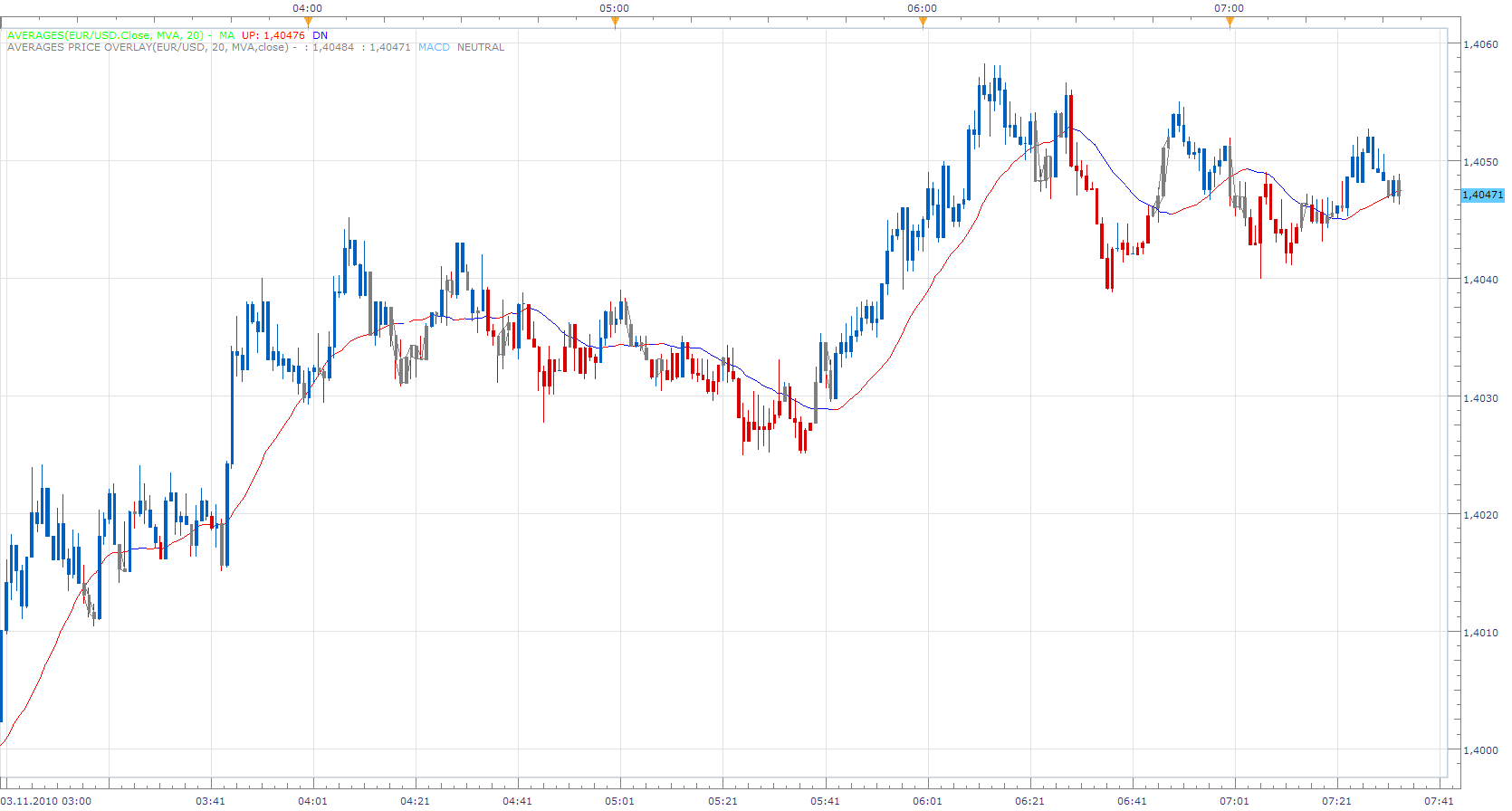
Price Overlay offers three modes of operation.
Price Indicates whether the closing is below or above the moving average. MA Indicates whether MA is falling or rising. Both. Both, the previous modes, must agree.
To work install: Moving Average Indicator: 20 in 1: viewtopic.php?f=17&t=2430
Re: AVEREGES Price Overlay
sedraude · Wed Nov 03, 2010 8:15 am
Hi Apprentice,
Good work and very fast respon… great indi. But for another method not work, display message like this:
Thank in advance
Re: AVEREGES Price Overlay
Apprentice · Wed Nov 03, 2010 8:56 am
Sorry, the inconvenience, it seems that I uploaded the wrong , in development, version.
Re: Averages Price Overlay
Byron8848 · Tue Aug 02, 2011 10:29 am
is there display moving average overlay of SMMA ?
Re: Averages Price Overlay
sunshine · Wed Aug 03, 2011 4:16 am
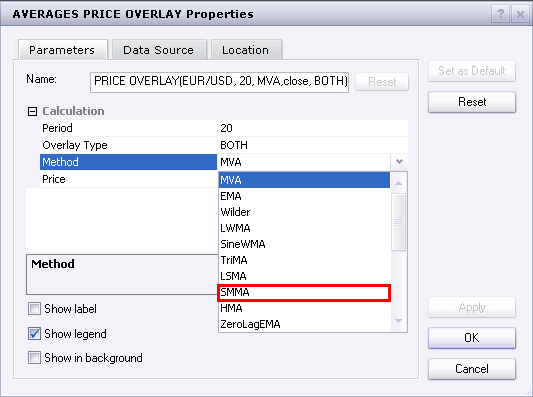
You can choose the SMMA method in the indicator properties:
Re: Averages Price Overlay
Byron8848 · Wed Aug 03, 2011 4:30 am
Not overlay the SMMA overlay the SMMA that shift to right N preiod Overlay the DMA
Re: Averages Price Overlay
sunshine · Wed Aug 03, 2011 6:00 am
You can shift the indicator in the following way:
- Open the Add Indicator dialog, and select Shift_I:
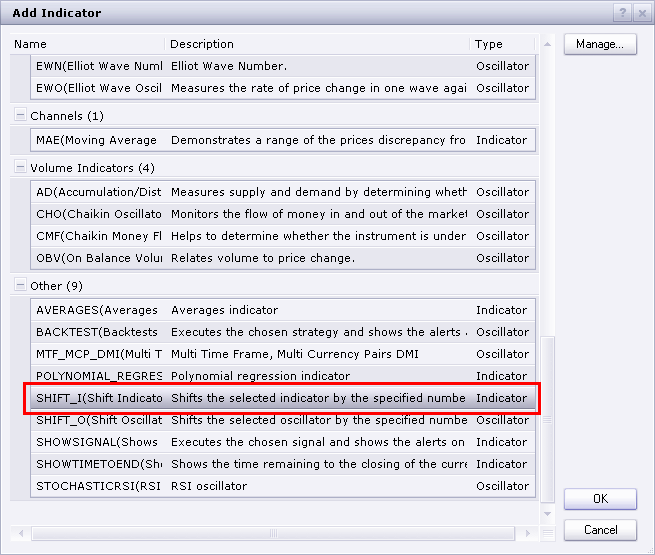
- Click OK.
- In the appeared dialog, click in the indicator field and then click the appeared button. In the appeared indicator properties window choose Other in the indicator box.
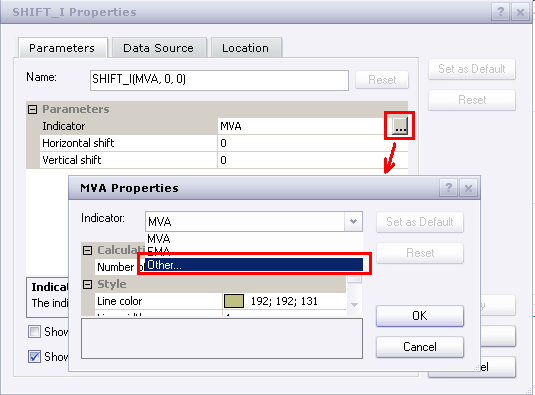
- The indicators list will appear. Select the Average Price Overlay and then click OK:
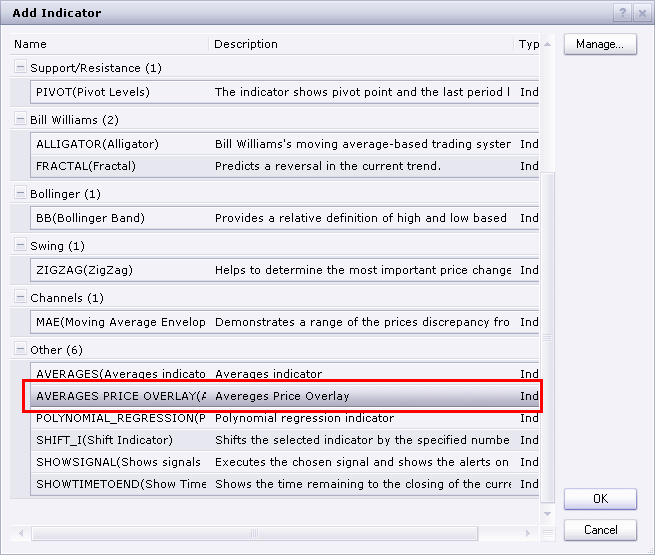
- In the properties of Shift indicator, specify Horizontal/Vertical Shift:
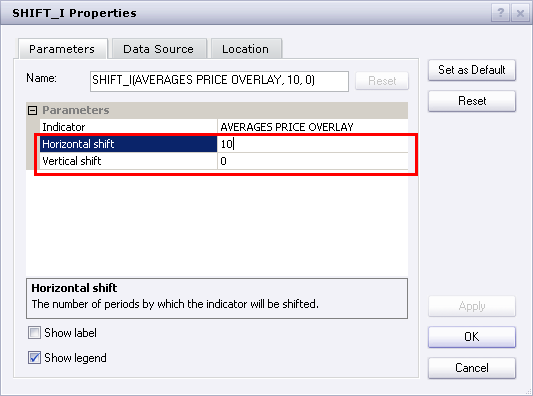
- Click OK. As the result you’ll get the shifted overlay:
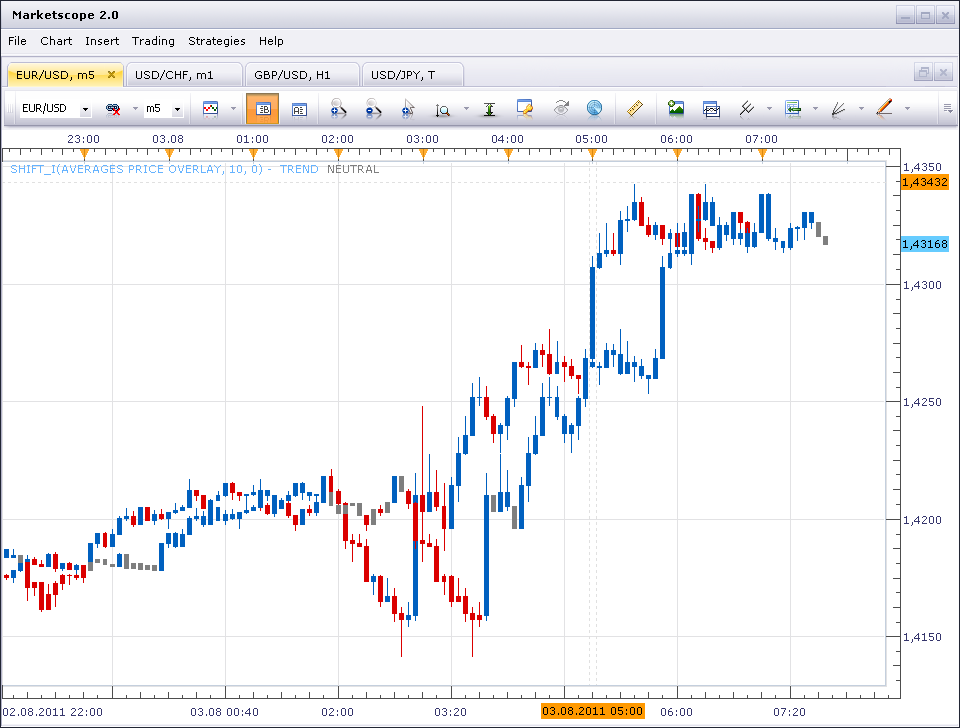
I hope this will help.
Re: Averages Price Overlay
Byron8848 · Wed Aug 03, 2011 8:30 am
Well thanks for your reply But you are not understand my request Just like if I want to overlay a allgator how to set this indicators I not want displace the overlayed indicator but i want overlay a displaced indicators Sorry for my poor English
Re: Averages Price Overlay
Jeffreyvnlk · Wed Jul 10, 2013 1:03 am
May I just have the first 2 bars painted when the price start being above the moving average, not all following ones ?
Re: Averages Price Overlay
Apprentice · Wed Jul 10, 2013 6:26 am
Your request is added to the development list.
Re: Averages Price Overlay
Apprentice · Mon Jul 13, 2015 4:13 am
Bump Up.
Re: Averages Price Overlay
Apprentice · Mon Oct 29, 2018 7:05 am
The indicator was revised and updated.