fxcodebase-backup
Info Overlay
Source: https://fxcodebase.com/code/viewtopic.php?f=17&t=15542
Forum: 17 · Topic 15542 · 18 post(s)
Info Overlay
Apprentice · Wed Apr 04, 2012 4:35 am
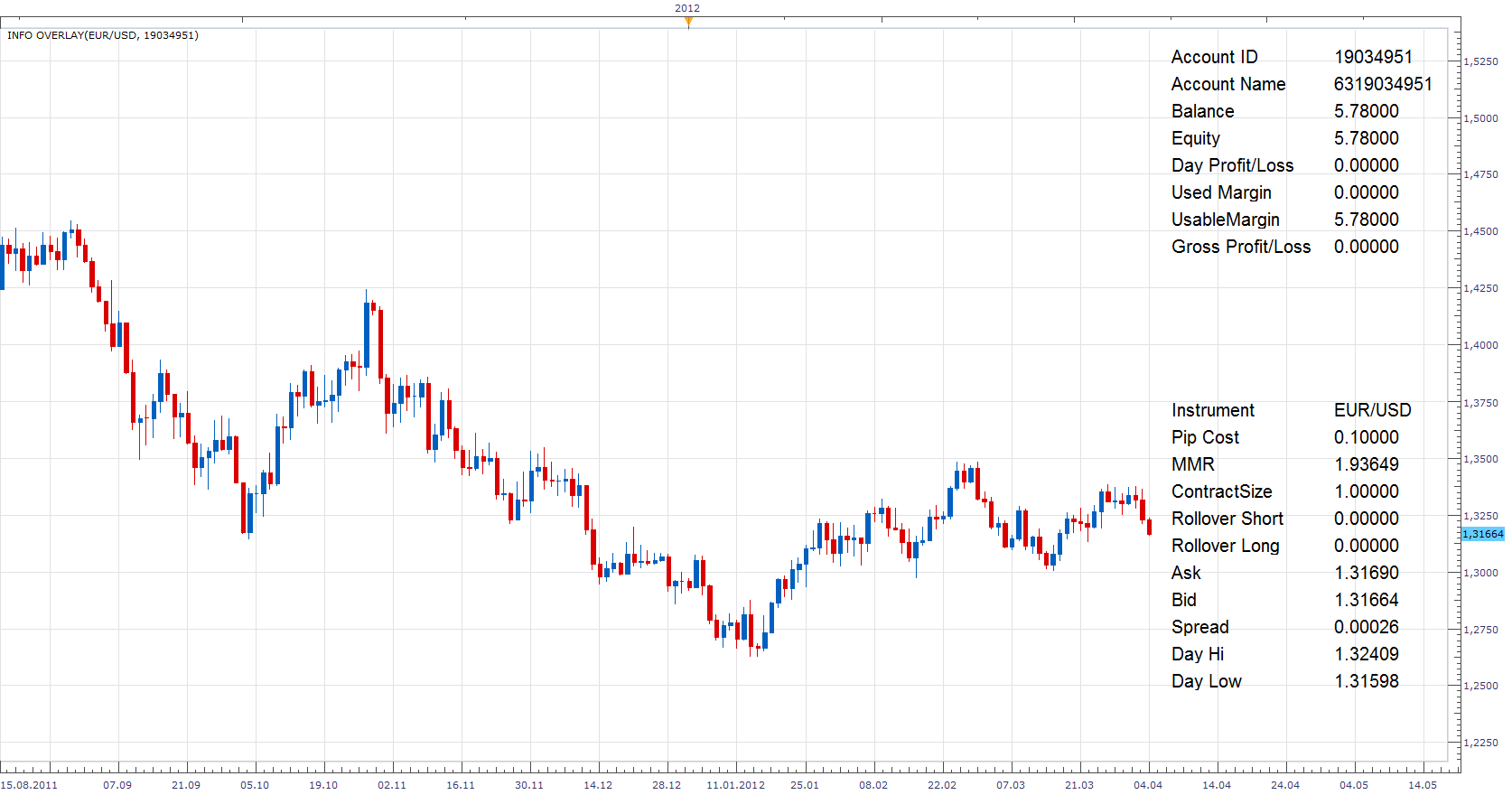
Indicator for selection and presentation of a certain instrument and Account Info.
Account “Account ID”,”Account Name”, “Balance”, “Equity”, “Day Profit/Loss”, “Used Margin”, “UsableMargin”, “Gross Profit/Loss”
Instrument “Instrument”,”Pip Cost”, “MMR”, “ContractSize” , “Rollover Short”, “Rollover Long”, “Ask”, “Bid”, “Spread”, “Day Hi”, “Day Low”
The indicator was revised and updated
Re: Info Overlay
BTrade · Tue Jul 08, 2014 6:43 am
Hi Apprentice,
This is a great indicator!
is it possible to add a background behind the text? a rectangle with selectable color and transparency.
Thanks
Re: Info Overlay
Apprentice · Thu Jul 10, 2014 5:05 am
Sure. I will l be addressed this when I find the time.
Re: Info Overlay
Apprentice · Mon Jul 14, 2014 6:03 am
New Version Added.
Re: Info Overlay
BTrade · Mon Jul 14, 2014 8:59 pm
Thanks!!!
Can you make the transparency selectable only for the background? right now both, the text and the background, become transparent.
Regards
Re: Info Overlay
Apprentice · Tue Jul 15, 2014 2:50 am
Updated.
Re: Info Overlay
BTrade · Tue Jul 15, 2014 7:40 am
Thank you!!!!
Re: Info Overlay
BTrade · Tue Jul 15, 2014 3:24 pm
Hi Apprentice,
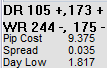
Is it possible to add the Average Daily Range and the Average Weekly Range along with the current Day Range and current Week Range?
Re: Info Overlay
Apprentice · Thu Jul 17, 2014 3:54 am
In theory, yes. Unfortunately, a complete rewrite is needed. As A different approach to the problem is needed. As all data that is currently used is feeded by FXCM server, available within easy to access Account and Instrument tables. For the required additions we have to use price servers. Retrieve and calculate the data.
Re: Info Overlay
Apprentice · Tue Jul 11, 2017 1:29 pm
The indicator was revised and updated.
Re: Info Overlay
Mountaintrader · Fri Apr 24, 2020 12:51 pm
Hi Apprentice,
When you have a moment please could you incorporate a parameter to allow the indicator text to be shifted left or right along the charts horizontal axis.
This would be very helpful when the indicator is applied to a layout displaying multiple charts. Currently the only way to have all the indicator text visible is to considerably reduce font size. With the addition of a left/right shift parameter the font could be enlarged and the text centralized.
Regards
Mountain Trader
Re: Info Overlay
Apprentice · Fri Apr 24, 2020 1:48 pm
Your request is added to the development list. Development reference 1140.
Re: Info Overlay
Apprentice · Tue Apr 28, 2020 10:17 am
Try it now.
Re: Info Overlay
MoqebeloED · Mon Mar 22, 2021 11:04 am
Hi Apprentice
May you please add the parameter option for location similar to the one on Time Until End so that the user can have option to move the Info Overlay from Top Right to Top Left or Bottom Right or Bottom Left.
Thanks
Re: Info Overlay
Apprentice · Tue Mar 23, 2021 1:17 pm
Your request is added to the development list. Development reference 305.
Re: Info Overlay
Apprentice · Wed Mar 24, 2021 3:03 pm
Try this version.
Re: Info Overlay
MoqebeloED · Thu Mar 25, 2021 9:11 am
Hi Apprentice,
It works as expected . Thanks.
Re: Info Overlay
Mountaintrader · Thu Jun 30, 2022 4:16 pm
Thank you.
MT