fxcodebase-backup
News_Scalper
Source: https://fxcodebase.com/code/viewtopic.php?f=17&t=76412
Forum: 17 · Topic 76412 · 2 post(s)
News_Scalper
Apprentice · Mon Oct 27, 2025 6:15 am
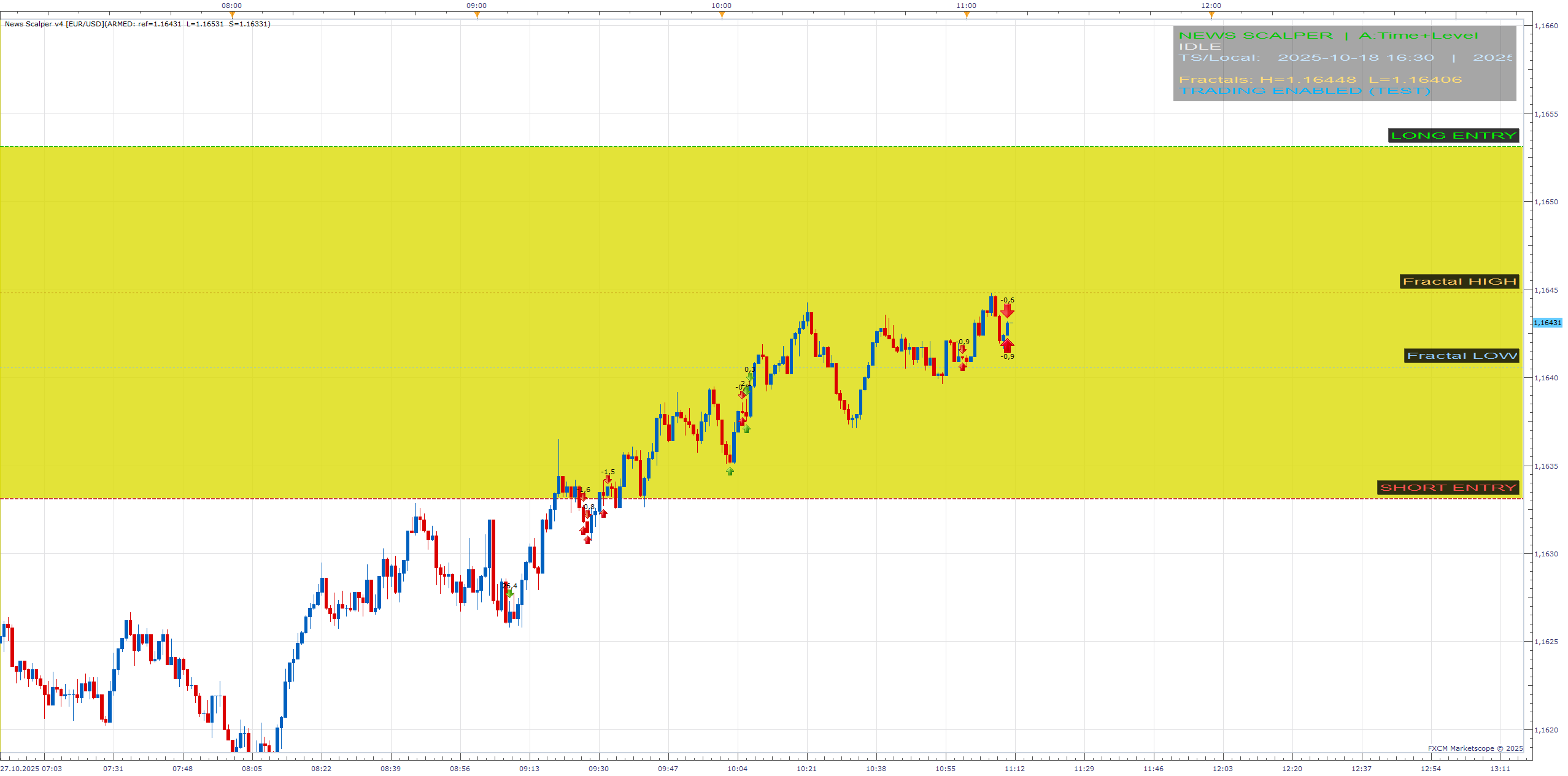
News Scalper automates event-based or impulse trading using five entry modes. It detects either scheduled events, fast price movements, or fractal-confirmed momentum. It includes a centralized trade log, internal trailing logic, and optional auto-execution (DEMO/test mode).
Entry Modes
A) TIME_LEVEL – Sets a straddle around the reference price and triggers when price breaks the set distance. B) TIME_FASTMOVE – Active only within a time window around the event; triggers on fast movement. C) FASTMOVE_ONLY – Always active; triggers on fast movement without time window. D) TIME_FRACTALFAST – Combines time window + fast movement + fractal logic (break/reverse). E) FRACTALFAST_ONLY – Always active; fast movement + fractal confirmation only.
Event Window EventTZ – Time zone of the event (EST, UTC, Local, Display, etc.). EventYear / Month / Day / Hour / Minute – Event date and time. ArmBeforeSec – Seconds before event when arming begins. ExpireMinutes – Minutes after event until expiration. Internally converted and displayed in TS, Local, and UTC; shaded time window on chart.
A) Time + Level (Straddle) DistancePips – Distance of entry levels from reference price. AutoOpenMarket – Opens market order immediately on breakout. EntrySim – Waits for real touch of the level before triggering. Fast-Move Detection (B/C/D/E) Direction control FastDir – AUTO, LONG, SHORT, or BOTH. CooldownSec – Pause between triggers.
Detectors FM1 (ΔP window) FM1_Enable, FM1_WindowSec, FM1_DeltaPips. FM2 (speed) FM2_Enable, FM2_WindowSec, FM2_SpeedPipsPerSec, FM2_MinMovePips. FM3 (range vs ATR) FM3_Enable, FM3_ATR_Period, FM3_Multiplier. Fractal + Fast (D/E) EnableBreakFast – Trigger only when price breaks the latest confirmed fractal in fast-move direction.
BreakBufferPips – Buffer beyond the fractal for confirmation. EnableReverseFast – Opposite-direction entry if price nears the opposite fractal. RevProximityPips – Allowed proximity to opposite fractal for reversal. FractalWing – Fractal “wing” (2 = Bill Williams).
Trading (TEST mode) AllowTrade – Enables actual trade execution (DEMO/test). Account – Trading account ID. CustomID – Label used for filtering own trades (QTXT/Comment). AmountType – “lots” or “% of equity.” Amount – Number of lots or percent. UseStop / StopPips – Stop offset in pips. UseLimit / LimitPips – Take-profit offset in pips. UseTrailingStop / TrailStep – Native trailing stop (step in pips). Fast Trailing Logic (internal management for trades with same CustomID) A) TrailA: activates after minimum profit; closes if retraced by step. TrailA_Enable, TrailA_MinProfit, TrailA_RetraceStep.
B) TrailB: break-even and retrace control; BE armed after given profit. TrailB_Enable, TrailB_BEActivate, TrailB_BEPlus, TrailB_RetraceStep.
C) TrailC: time-based snap-take-profit; after holding for X seconds, if profit ≥ target, closes all. TrailC_Enable, TrailC_HoldSeconds, TrailC_SnapTPPips.
Logging and Status EnableTradeLog – Enables trade log (terminal + HUD feed). HUD_LogLines – Number of HUD log lines displayed. Logs every ARM, TRIGGER, OPEN, CLOSE, and error message. Commands (right-click menu or chart buttons) Open LONG now – Immediately opens buy order. Open SHORT now – Immediately opens sell order. Arm now – Arms straddle (A) or activates fast-move mode (others). Close all – Closes all trades with the given CustomID.
Execution Flow Arms automatically before event (A/B/D) according to ArmBeforeSec. Deactivates after ExpireMinutes. Cooldown prevents retriggering for a defined period. Latest confirmed fractals (high/low) are continuously updated and used in D/E modes.
Trailing logic manages profit capture after trade opens. AmountType behavior lots – Quantity = lots × base unit size. % – Calculates units from equity and EMR; rounds to nearest valid trade size.
Re: News_Scalper
moustafa · Thu Feb 05, 2026 4:48 am
can you give more explanation please for how it works