fxcodebase-backup
Prime levels indicator
Source: https://fxcodebase.com/code/viewtopic.php?f=17&t=60016
Forum: 17 · Topic 60016 · 52 post(s)
Prime levels indicator
Alexander.Gettinger · Fri Nov 29, 2013 1:03 pm
The indicator is written on request: viewtopic.php?f=27&t=59511. The indicator draws levels with the specified prices.
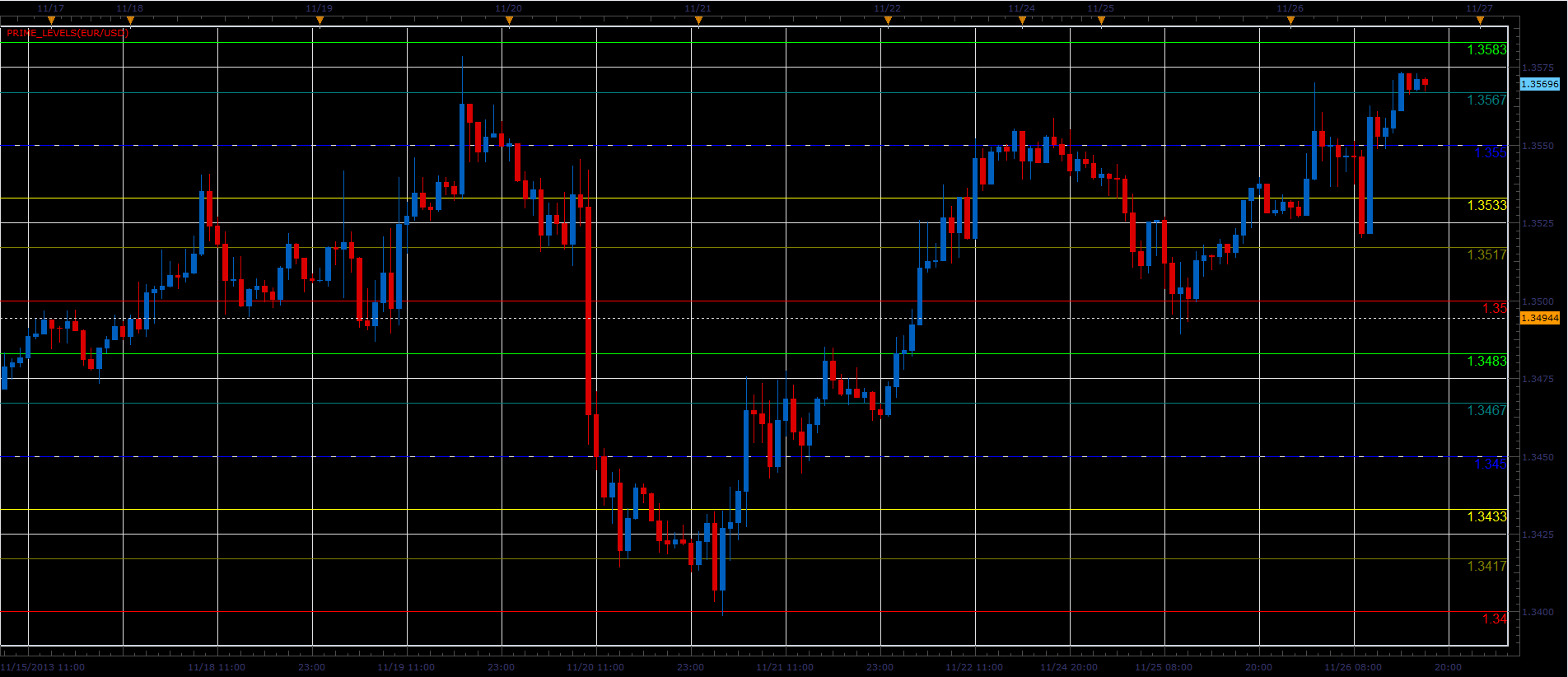
Download:
Prime levels indicator with Alert.lua
Dec 14, 2015: Compatibility issue Fixed. _Alert helper is not longer needed.
If you want to use updated version of this indicator, please make sure to use TS Version 01.14.101415. or higher.
Re: Prime levels indicator
Panther · Sat Dec 07, 2013 11:27 am
Alexander, Thank you. Panther
Re: Prime levels indicator
Panther · Thu Jan 02, 2014 7:59 am
Could you make this so I could use it on a Tick chart? Thanks
Re: Prime levels indicator
Apprentice · Fri Jan 03, 2014 1:02 pm
Please re-download, i have changed the code accordingly.
Re: Prime levels indicator
Checkz · Sat Nov 01, 2014 11:29 pm
CAN A ALERT BE MADE WHEN THE PRIME LEVELS ARE HIT. FOR EXAMPLE LETS SAY I HAVE THE PRIME LEVELS SET AT 20 PIPS APART AND IM WATCHING IT ON A ONE MINIUTE CHART. CAN A ALERT OR ALARM SOUND ONCE THAT 20 PIP PRIME LIVEL IS HIT. SO IF PRICE HITS THE 112.200 PRIME LEVEL ON THE USD/JPY ONE MINUTE CHART I WOULD LOVE TO HEAR AN ALARM OR ALERT. THANKS.
Re: Prime levels indicator
Apprentice · Mon Nov 03, 2014 5:21 am
Prime levels indicator with Alert.lua Added.
Re: Prime levels indicator
eshlomi · Thu Oct 01, 2015 3:29 am
Hello guys, how are you? I’ve got a request, if i may.
can you please create a “shorter” version of this indicator? lets say starting from the last 30th candle? and also show the closest 3 line above to the current price and the closest 3 lines below current price.
something like the screenshot i added. this will make it much more clean and make the chart more readable.
thank you so much for your help.
cheers.
Re: Prime levels indicator
Apprentice · Thu Oct 08, 2015 4:41 am
Your request is added to the development list.
Re: Prime levels indicator
eshlomi · Thu Oct 08, 2015 6:08 am
thank you!
Re: Prime levels indicator
Apprentice · Mon Dec 14, 2015 6:58 am
Dec 14, 2015: Compatibility issue Fixed. _Alert helper is not longer needed.
If you want to use updated version of this indicator, please make sure to use TS Version 01.14.101415. or higher.
Re: Prime levels indicator
eshlomi · Sun Jan 24, 2016 8:00 am
hello.
any news regarding my request?
cheers.
Re: Prime levels indicator
jrichardson83 · Fri Feb 26, 2016 9:53 am
Can we adjust the parameters on this indicator so that there are 20 levels, rather than 10? Levels 11-20 can be defaulted to “No” but I’m finding that I’m needing to add 2 sometimes 3 instances of this indicator in order to get things just right. Adding additional levels would eliminate the need to do this.
Re: Prime levels indicator
Apprentice · Mon Feb 29, 2016 4:41 am
Lookback Period / Additional lines added.
Re: Prime levels indicator
jrichardson83 · Mon Feb 29, 2016 5:05 am
Thank you, Apprentice
Re: Prime levels indicator
jrichardson83 · Wed Mar 02, 2016 9:13 pm
When this indie is applied to the chart there are gaping holes where the lines are not being painted. I have to pull the chart down in order for the lines to appear. Is there some way to fix this?
Re: Prime levels indicator
Apprentice · Thu Mar 03, 2016 4:31 am
I could not reproduce this on any time frame.
Re: Prime levels indicator
rtsayers · Thu Mar 03, 2016 1:52 pm
Hi Apprentice
I have the same problem as above missing lines it comes and goes? Sometimes there is no problems and other times the lines are missing??
Re: Prime levels indicator
rtsayers · Tue Mar 15, 2016 8:17 pm
It seems to be worse the lines disappear until you scroll the charts?
Re: Prime levels indicator
rtsayers · Thu Apr 07, 2016 5:18 pm
Just wondering when someone will fix this???? Nobody wants to take charge and get things fixed right?
Re: Prime levels indicator
scandisk · Tue Apr 12, 2016 2:42 pm
I also use this indicator alot and I am also wondering when they will fix this problem?
Re: Prime levels indicator
jrichardson83 · Tue Apr 12, 2016 6:03 pm
rtsayers wrote: Just wondering when someone will fix this???? Nobody wants to take charge and get things fixed right?
Oddly enough, this problem sort of “fixed” itself for me. I don’t think its the indicator as much as it is a Marketscope problem. I’ve revised all my charts, removing and reapplied the indicator and it seems to be functioning fine.
I dunno
Re: Prime levels indicator
scandisk · Mon Oct 10, 2016 12:55 pm
Hi
On Line Levels beyond 11 when I try to change the lines to dotted this doesnt work? It stays on line?
Re: Prime levels indicator
Apprentice · Tue Oct 11, 2016 3:22 am
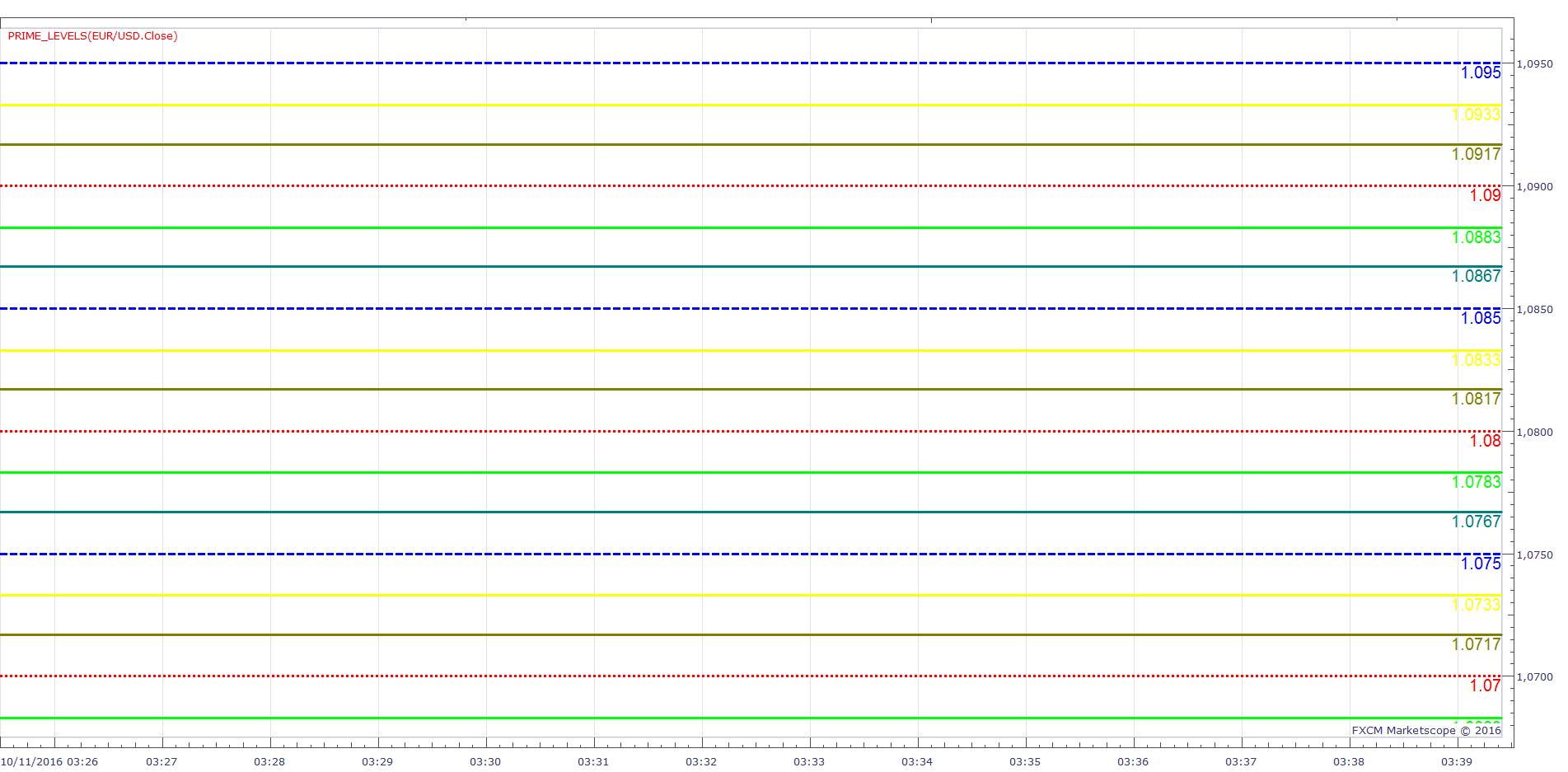
AddParam(1, true, 0, core.rgb(255, 0, 0), 3, core.LINE_DOT );
Re: Prime levels indicator
scandisk · Tue Oct 11, 2016 12:23 pm
Apprentice wrote:
EURUSD m1 (10-11-2016 0934).png
AddParam(1, true, 0, core.rgb(255, 0, 0), 3, core.LINE_DOT );
Please fix these levels I am not a coder so this means nothing to me? I don’t even know where to put these inputs? I don’t want to be inputing numbers to get dots!
Thanks
Re: Prime levels indicator
Apprentice · Wed Oct 12, 2016 2:54 am
Can you provide line list, for which you want dots. You can do it via indicator parameters.
Re: Prime levels indicator
scandisk · Wed Oct 12, 2016 4:21 pm
Apprentice wrote: Can you provide line list, for which you want dots. You can do it via indicator parameters.
I would like a combination of dots lines dashes etc.. 1 to 20 lines
Re: Prime levels indicator
Apprentice · Thu Oct 13, 2016 6:09 am
Try this version.
Re: Prime levels indicator
scandisk · Thu Oct 13, 2016 5:04 pm
Apprentice wrote: Try this version.
Prime_Levels.lua
You obviously didn’t test it?? Because it’s still giving me a solid line even when I switch to dotted on line 11??
Re: Prime levels indicator
Apprentice · Tue Oct 18, 2016 6:43 am
Try it now.
Re: Prime levels indicator
scandisk · Tue Oct 18, 2016 12:10 pm
Apprentice wrote: Try it now.
Its still not creating a dotted line on line level 11 to 20?
Maybe I should report this as a platform bug?
Re: Prime levels indicator
Apprentice · Thu Oct 20, 2016 3:53 am
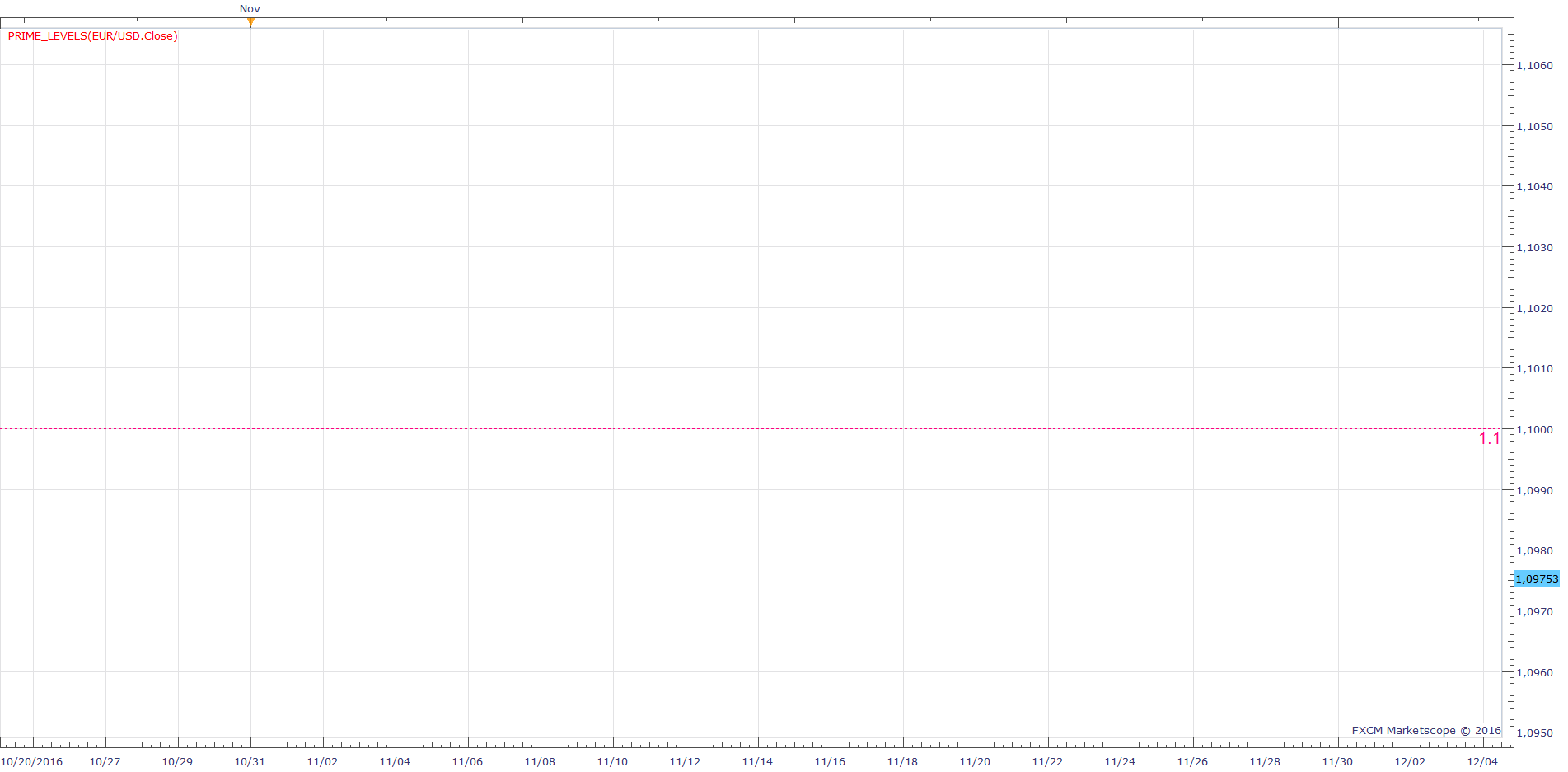
11 individually
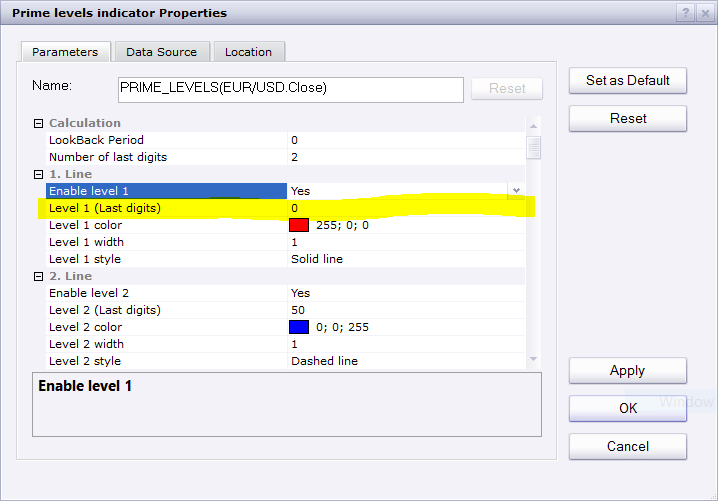
Make sure lines have different last digits. Otherwise they will override each other.
Re: Prime levels indicator
scandisk · Thu Oct 20, 2016 1:30 pm
Apprentice wrote:
1 only.png
11 individually
Capture.PNG
Make sure lines have different last digits. Otherwise they will override each other.
I am not sure you understand?? Ok show me from 1 to 11 any numbers all dotted lines???
Still not working??
Re: Prime levels indicator
Apprentice · Thu Oct 20, 2016 6:14 pm
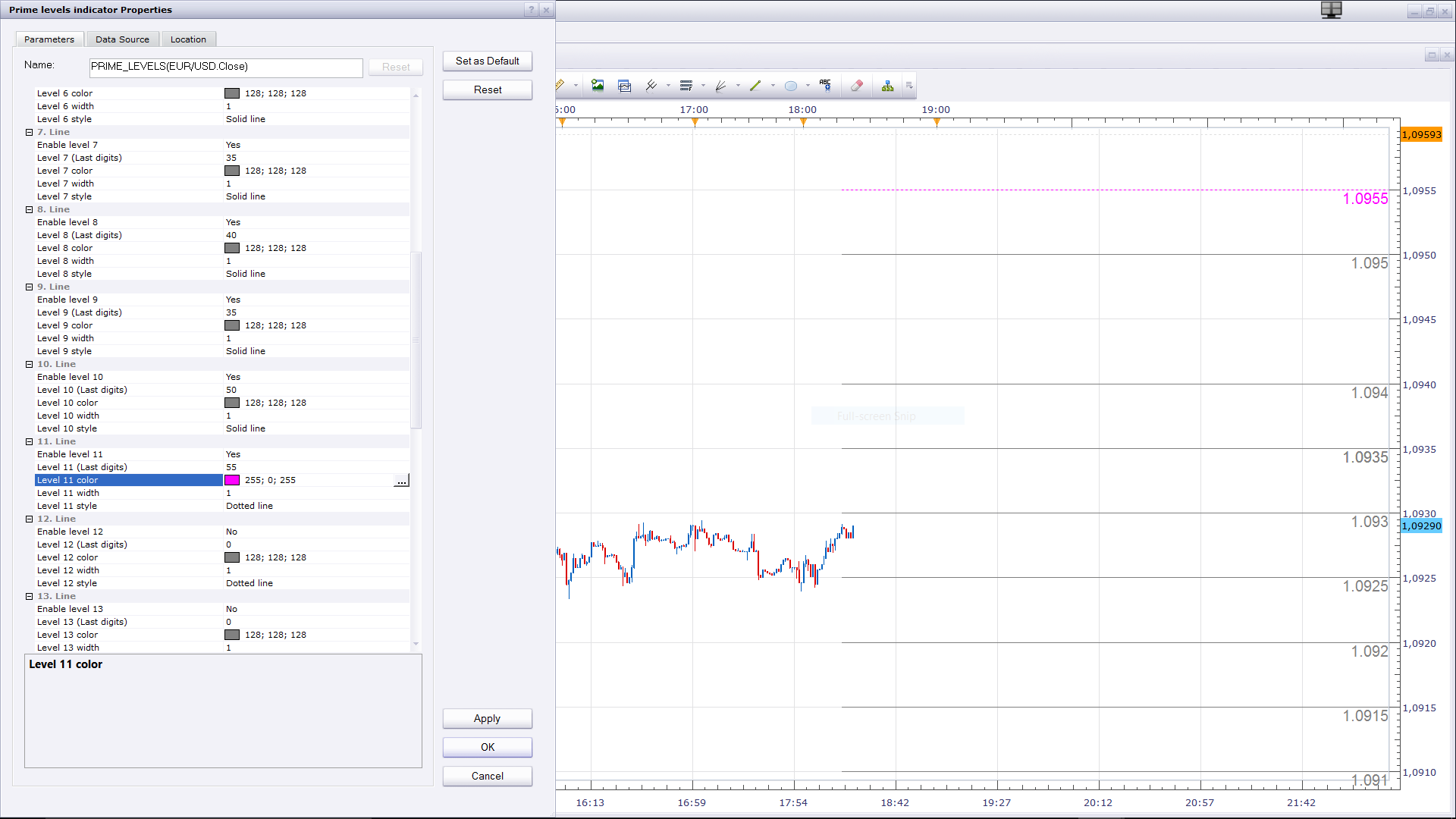
- pink , dotted line, last two decimal places 55
Re: Prime levels indicator
scandisk · Fri Oct 21, 2016 12:30 pm
I don’t think you understand I asked you to put all dotted lines 1 to 11 or even 1 to 20?
I can put all dotted lines from 1 to 10 but on the 11 line it’s solid even if it says dotted and it’s not a duplicate number??
Just put I to 20 dotted lines but all dotted and you will see? I don’t know if you understand?
Re: Prime levels indicator
Apprentice · Sat Oct 22, 2016 3:51 am
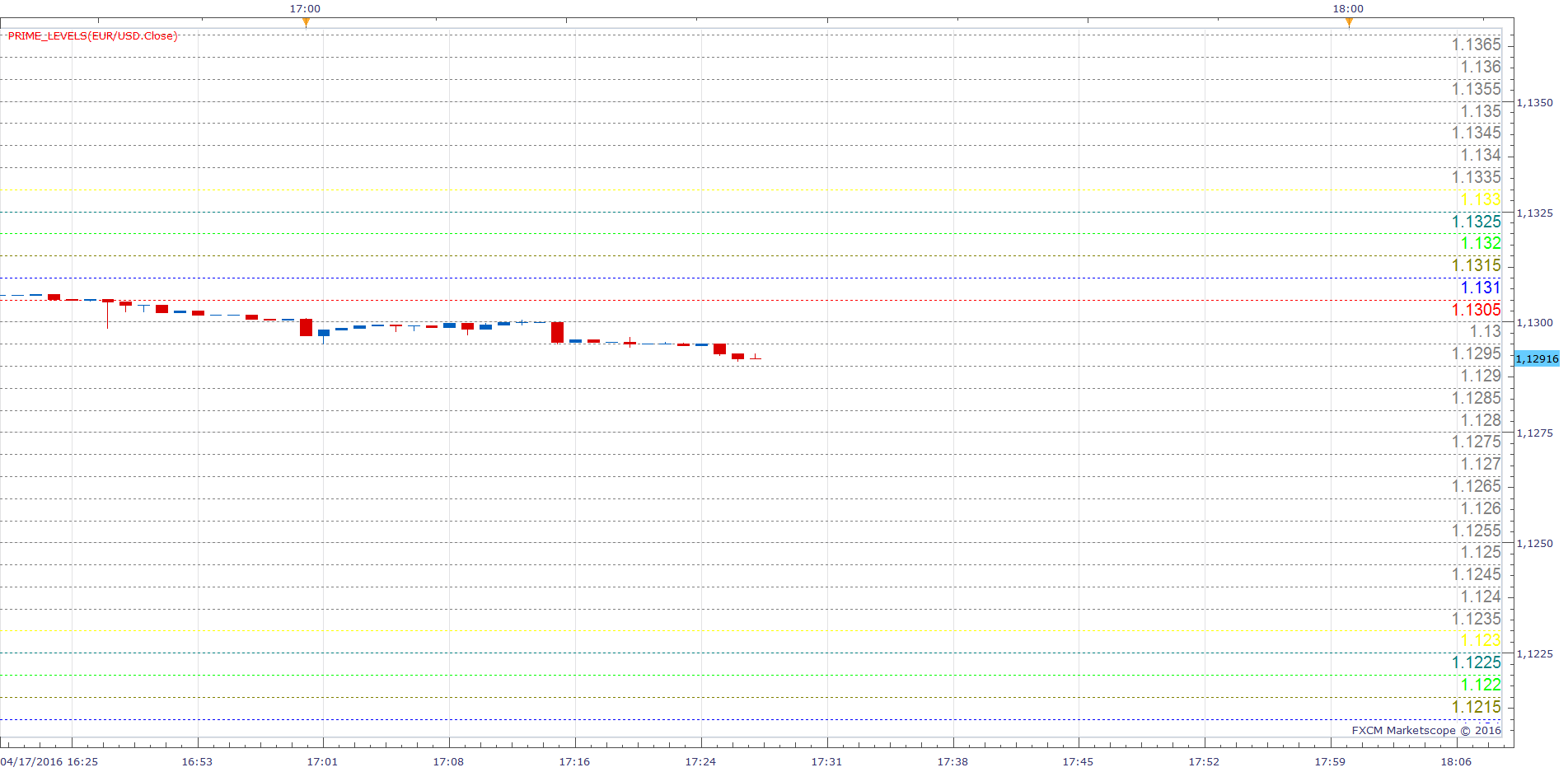
All lines are here.
I am not sure you understand. Please re-download, maybe you have old version. If NOT.
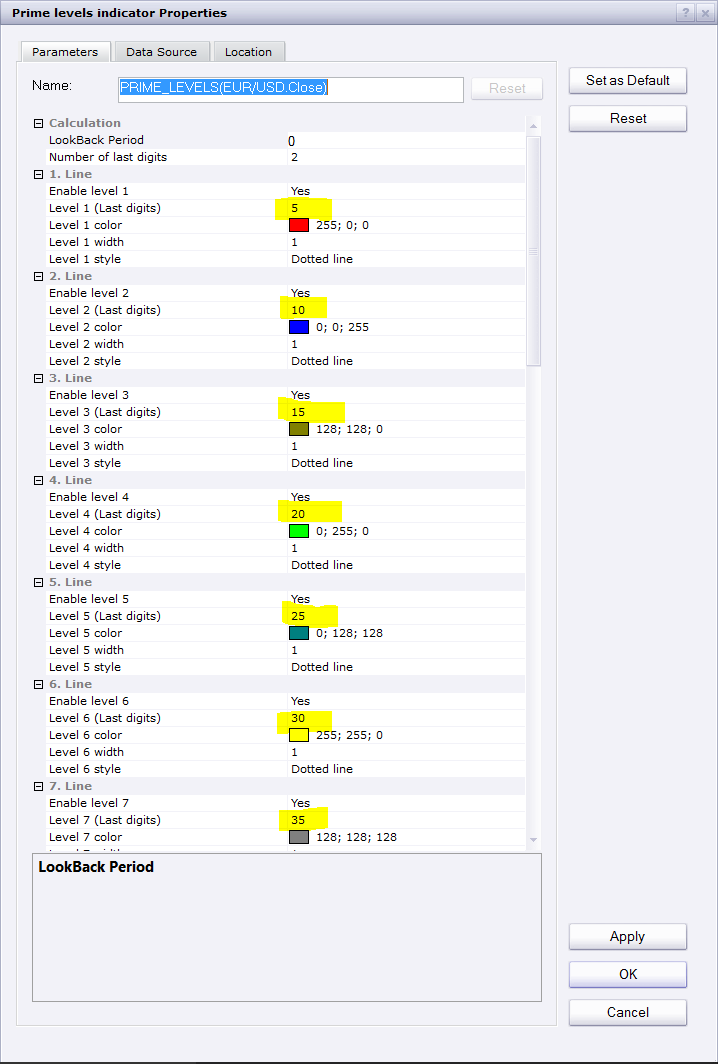
Use different digits.
Re: Prime levels indicator
scandisk · Sat Oct 22, 2016 1:29 pm
I have redownloaded and still have the same problem? On the 11 line it wont come out dotted even if there different digits but I can say I am using all black dotted lines not colored? Maybe something wrong with my platform??
Re: Prime levels indicator
Apprentice · Mon Oct 24, 2016 3:31 am
-
Try this version if browser cache is problem.
-
Try to deinstall / install yout TS.
Does anyone have this problem?
Re: Prime levels indicator
scandisk · Wed Oct 26, 2016 1:26 pm
Thanks Apprentice
It’s working great! I just renistalled the marketscope!
Thanks!!
Re: Prime levels indicator
scandisk · Mon Oct 31, 2016 11:55 pm
Hi Apprentice
Everything is working good except now I am missing lines when I move around the chart?
Re: Prime levels indicator
Apprentice · Tue Nov 01, 2016 7:17 am
I am aware of this problem. This is because I use the draw functionality.
If this is a big problem, can write another version, with others draw line functions.
Re: Prime levels indicator
scandisk · Tue Nov 01, 2016 10:49 am
Hi Apprentice
That would be great if you could fix this so the lines apprear!
Thanks:)
Re: Prime levels indicator
Apprentice · Mon Sep 25, 2017 4:08 pm
The indicator was revised and updated.
Re: Prime levels indicator
scandisk · Tue Jan 30, 2018 11:44 pm
Hi Apprentice
Still having this annoying lines missing all the time could right new code and fix please!
Thanks
Re: Prime levels indicator
Apprentice · Sun Feb 04, 2018 8:21 am
The Indicator was revised and updated.
Re: Prime levels indicator
scandisk · Sun Feb 04, 2018 4:30 pm
Hi Apprentice
Still having missing lines at the top and middle of the screen? I have the lastest marketscope? Its really annoying? When i move the charts around on the screen the disappear and reappear?
Please fix Thanks!
Re: Prime levels indicator
scandisk · Fri Mar 23, 2018 12:23 pm
Hi Apprentice
I am still waiting to get this fixed????
Still having missing lines at the top and middle of the screen? I have the lastest marketscope? Its really annoying? When i move the charts around on the screen the disappear and reappear?
Re: Prime levels indicator
Apprentice · Mon Mar 26, 2018 9:48 am
The reason is, we use Draw method. We will have to recode the whole indicator, use a different presentation methods.
Re: Prime levels indicator
Apprentice · Tue Apr 03, 2018 4:19 am
Few fixes. Unfortunately, I did not have time to write a new version.
Re: Prime levels indicator
scandisk · Tue Apr 03, 2018 12:04 pm
Awesome Thanks works good!!
Re: Prime levels indicator
ANTONIO · Thu Dec 19, 2019 7:31 am
Hi apprentice Can you make a strategy with this indicator? At the levels 17, 33, 50, 67, 83 and 00 to be the following options: No action/ sell/ buy/ close / alert Entry and exit: Live/ end of turn Use breakeven Use filter: MA Possibility opening multi positions.
Thank you
Re: Prime levels indicator
Apprentice · Thu Dec 19, 2019 11:29 am
Your request is added to the development list. Development reference 452.
Re: Prime levels indicator
Apprentice · Fri Dec 20, 2019 9:18 am
Try this version. viewtopic.php?f=17&t=69251