fxcodebase-backup
Trading Box
Source: https://fxcodebase.com/code/viewtopic.php?f=17&t=63703
Forum: 17 · Topic 63703 · 8 post(s)
Trading Box
Apprentice · Sun Jul 24, 2016 10:21 am
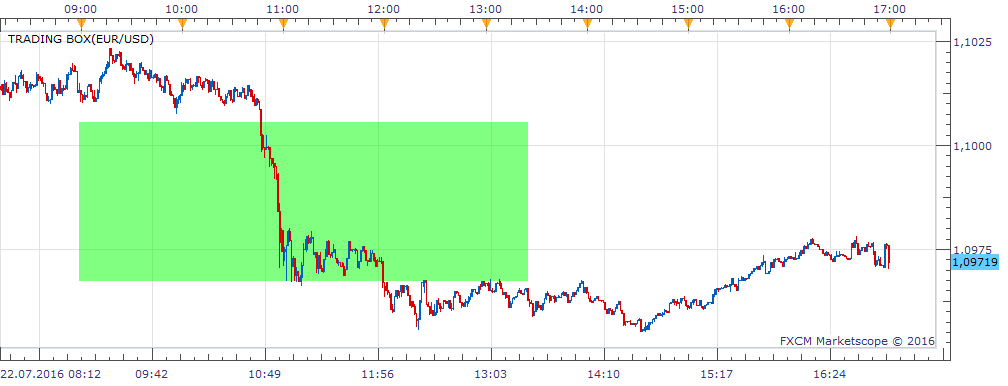
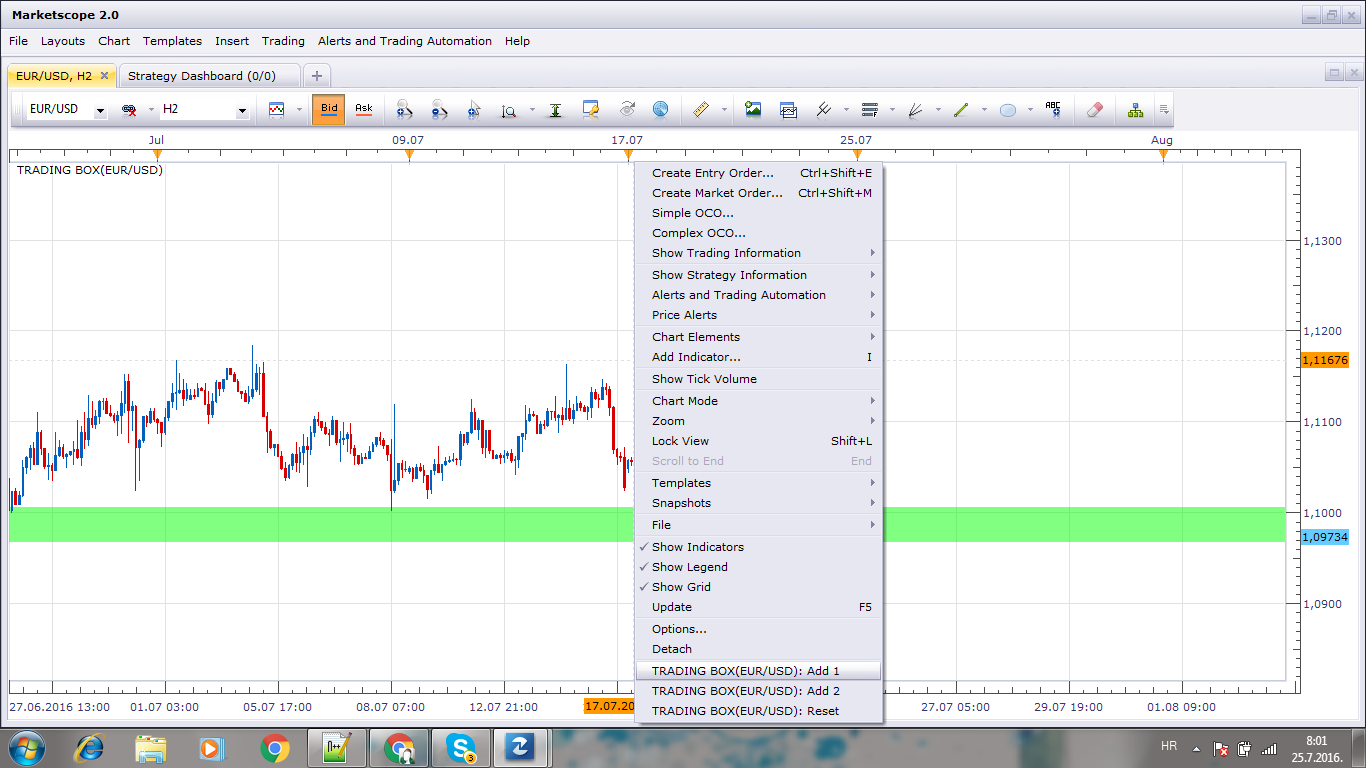
Based on request. viewtopic.php?f=27&t=63696#p107267
Re: Trading Box
Hailkayy · Sun Jul 24, 2016 10:31 am
Hello,
Thanks.
I can’t set line 1 and line 2 values, they do not appear in the menu.
Can you do it and add : line 3 and 4 line 5 and 6 line 7 and 8 with the same options for every pair of lines ?
Re: Trading Box
Apprentice · Mon Jul 25, 2016 1:35 am
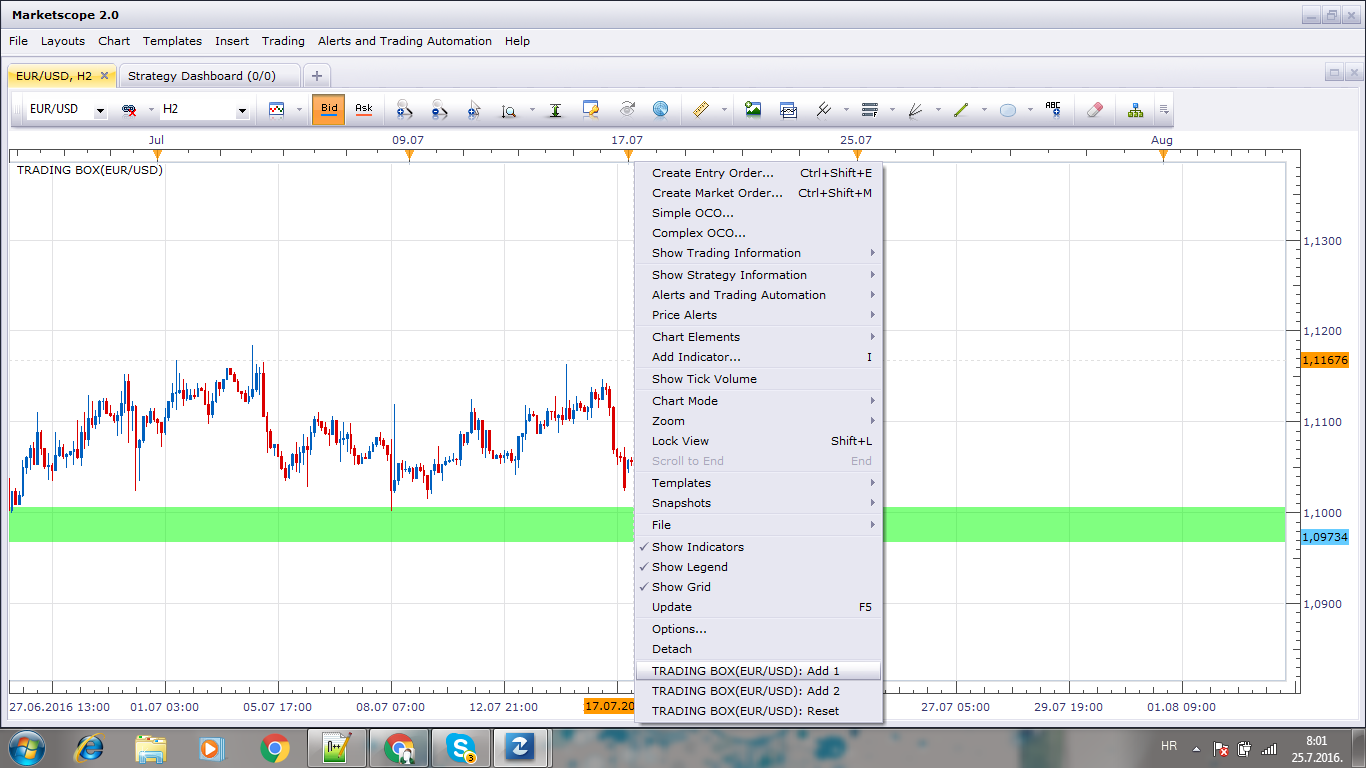
Use the MENU option to define the line.
Re: Trading Box
Hailkayy · Mon Jul 25, 2016 5:44 am
Apprentice wrote:
Untitled.png
Use the MENU option to define the line.
surprisingly this is not working for me, I see the menu but aftee setting the lines the colored area does not appear.
I understand the tab idea but I have several other indicators in there (like ttc trans line that has 10 lines to scroll) meaning I have to scroll down and pass through 2 or 3 other indicators, taking me about 5-10 seconds just for placing line 1 out of 2, and I trade with lots of charts having the same setup.
That way, like for gridd, can you release a version where I can go in the indicator menu, type the name and set up values ? Would be much faster for me.
Thanks a lot.
Re: Trading Box
Hailkayy · Mon Jul 25, 2016 12:04 pm
It was a problem on my end. I had it working.
please just :
-
release a manual-entry based version, for gridd too, (more straightforward for my trading, and also currently if one trading box (or gridd) is set on one chart, I cannot add an other trading box on other, or the same chart as the first box will be deleted) and
-
add 1 more zone to this indicator with same parameters (color etc.)
Thanks for your work.
Re: Trading Box
Apprentice · Wed Jul 27, 2016 6:34 am
Manual-entry Trading Box.lua added.
Re: Trading Box
Hailkayy · Wed Jul 27, 2016 1:01 pm
Piece of art, thanks.
Re: Trading Box
Apprentice · Mon Aug 27, 2018 4:57 am
The indicator was revised and updated.