fxcodebase-backup
Z-Score Mean Reversion
Source: https://fxcodebase.com/code/viewtopic.php?f=17&t=75931
Forum: 17 · Topic 75931 · 2 post(s)
Z-Score Mean Reversion
Apprentice · Tue May 13, 2025 12:56 pm
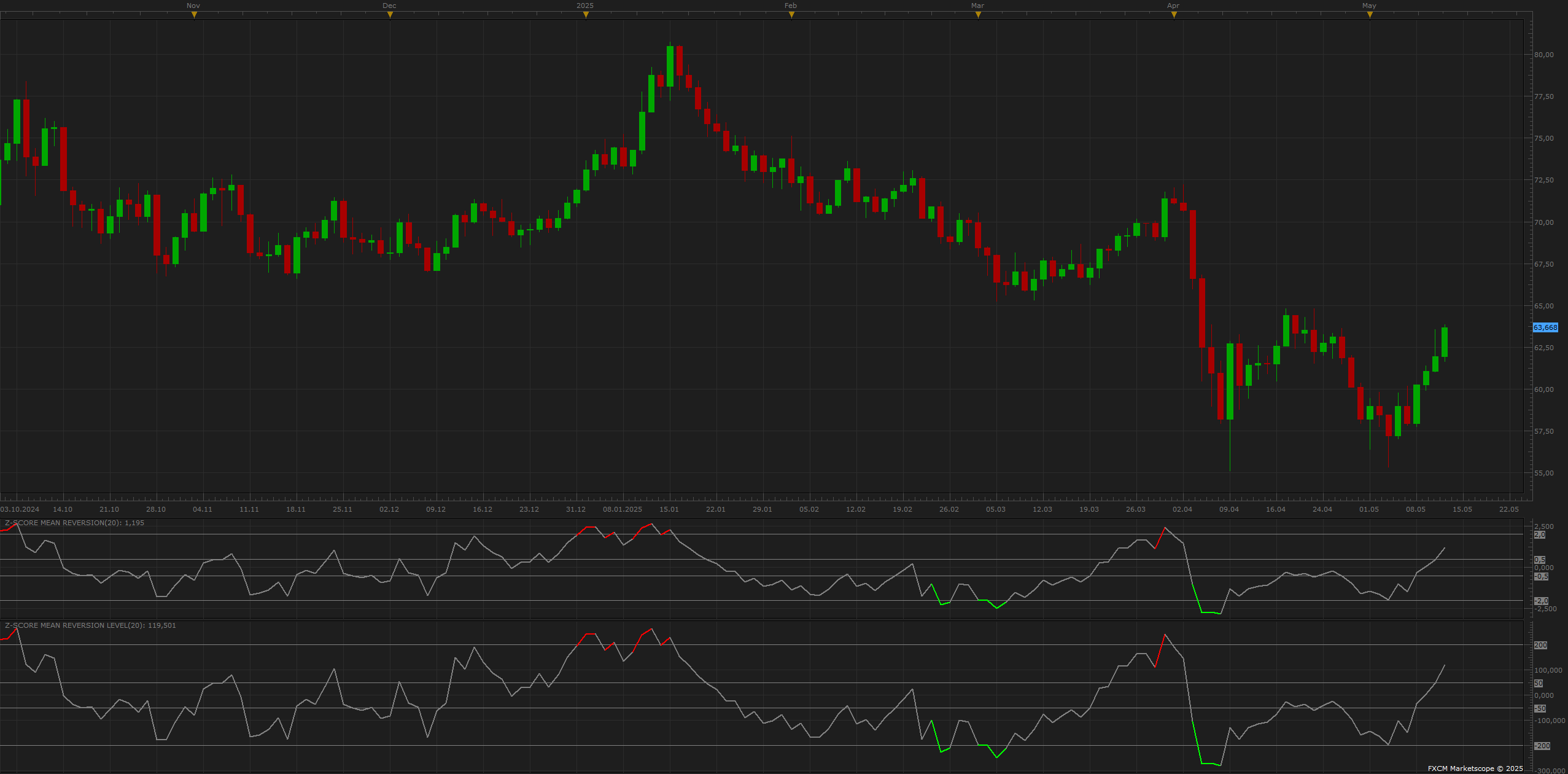
Z-Score Mean Reversion Strategy (FXCM TS2)
Concept: This strategy uses Z-score to detect how far price has deviated from its mean (SMA). Extreme values suggest potential reversion.
Formula: Z = (Price - SMA) / StdDev High positive Z - price is overbought High negative Z - price is oversold
Trade Logic: Buy when Z < -EntryZ Sell when Z > EntryZ Exit when |Z| < ExitZ
Indicator: Z-Score Mean Reversion Level.lua
Adds automatic color-coded oscillator line
Highlights entry/exit levels visually
Parameters: SMA period, Z thresholds, level lines
Green = Buy Zone (Oversold) Red = Sell Zone (Overbought) Gray = Neutral (mean proximity)
Usage Tips: Works best in sideways/range markets (e.g. M30/H1 FX pairs) Avoid strong trends unless combined with filter (e.g. slope of 200 EMA)
Z-Score Mean Reversion Level.lua
Re: Z-Score Mean Reversion
Apprentice · Tue May 13, 2025 2:10 pm
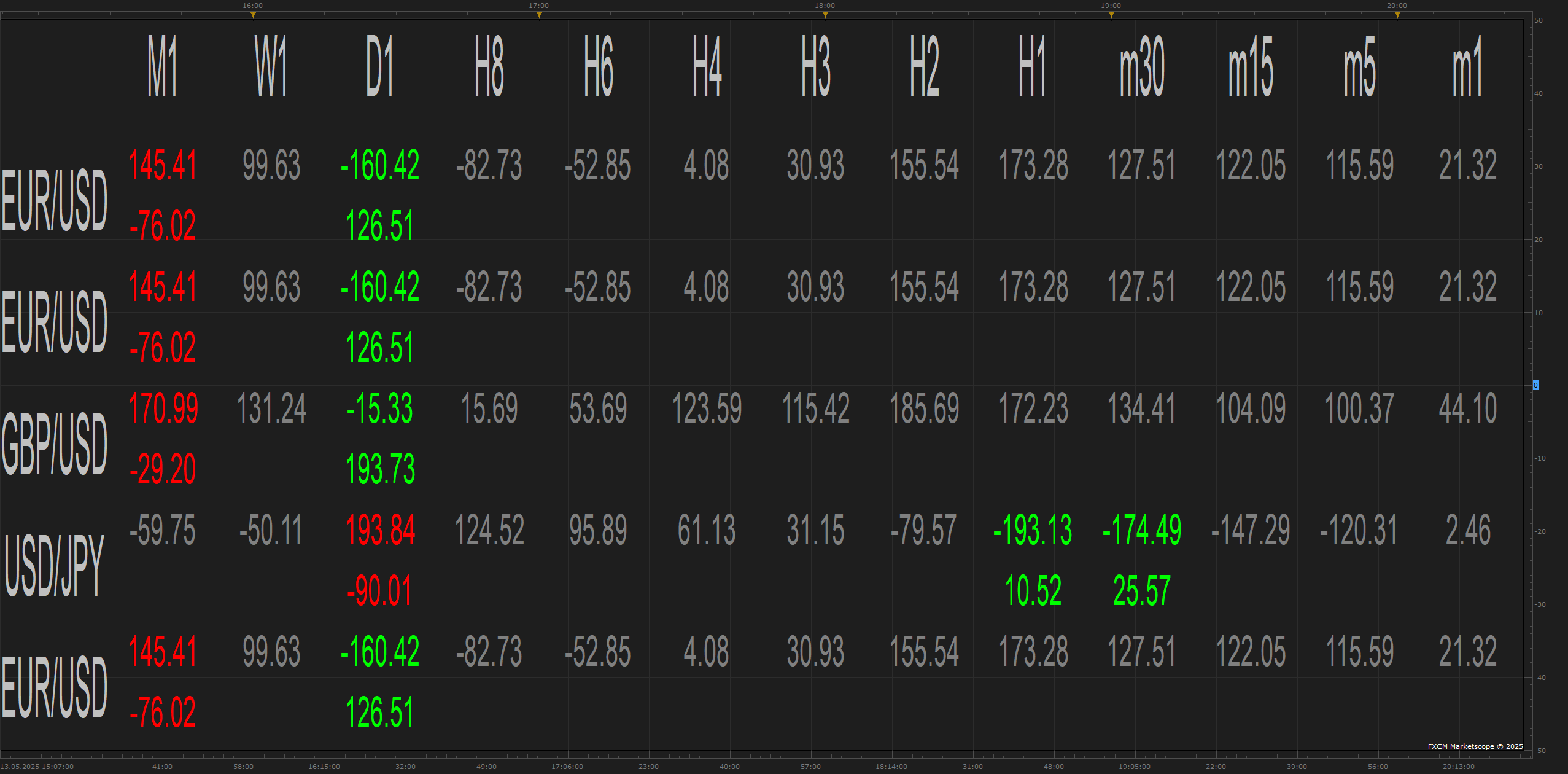
[center]Z-Score Mean Reversion Indicator Set (FXCM TS2)[/center]
1. Z-Score Mean Reversion Level A classic oscillator showing how far price deviates from its mean (SMA), expressed in standard deviations. Visual entry/exit zones based on customizable Z-score levels.
Trading logic:
- Buy when Z < –EntryZ
- Sell when Z > +EntryZ
-
Exit when Z < ExitZ
Includes color-coded lines and levels for easy visual tracking. Useful for mean-reverting markets and price extremes.
2. MTF MCP Z-Score Mean Reversion View A powerful multi-timeframe, multi-currency dashboard that shows Z-score values across pairs and timeframes.
Key features:
- Supports up to 20 custom instruments
- 13 selectable timeframes
- Color-coded labels for BUY (green), SELL (red), and NEUTRAL (gray)
- Optional signal-only view to reduce clutter
Perfect for identifying broad market opportunities and reversals in one glance.
[center]Why Z-Score Mean Reversion View Is Highly Selective[/center]
Purposeful Selectivity
The MTF MCP Z-Score Mean Reversion View is designed to show only statistically significant deviations from the mean.
This makes it highly selective by filtering out noise and highlighting only strong mean reversion opportunities.
It only displays signals when:
- The Z-score exceeds the configured EntryZ threshold (e.g., ±2.00)
- There is momentum (Δ Z-score) in the direction of reversion
Optional: If SignalOnly = false, it also shows neutral values, but otherwise hides them