fxcodebase-backup
SuperTrend Indicator Strategy
Source: https://fxcodebase.com/code/viewtopic.php?f=31&t=24274
Forum: 31 · Topic 24274 · 4 post(s)
SuperTrend Indicator Strategy
Apprentice · Wed Oct 10, 2012 6:35 am
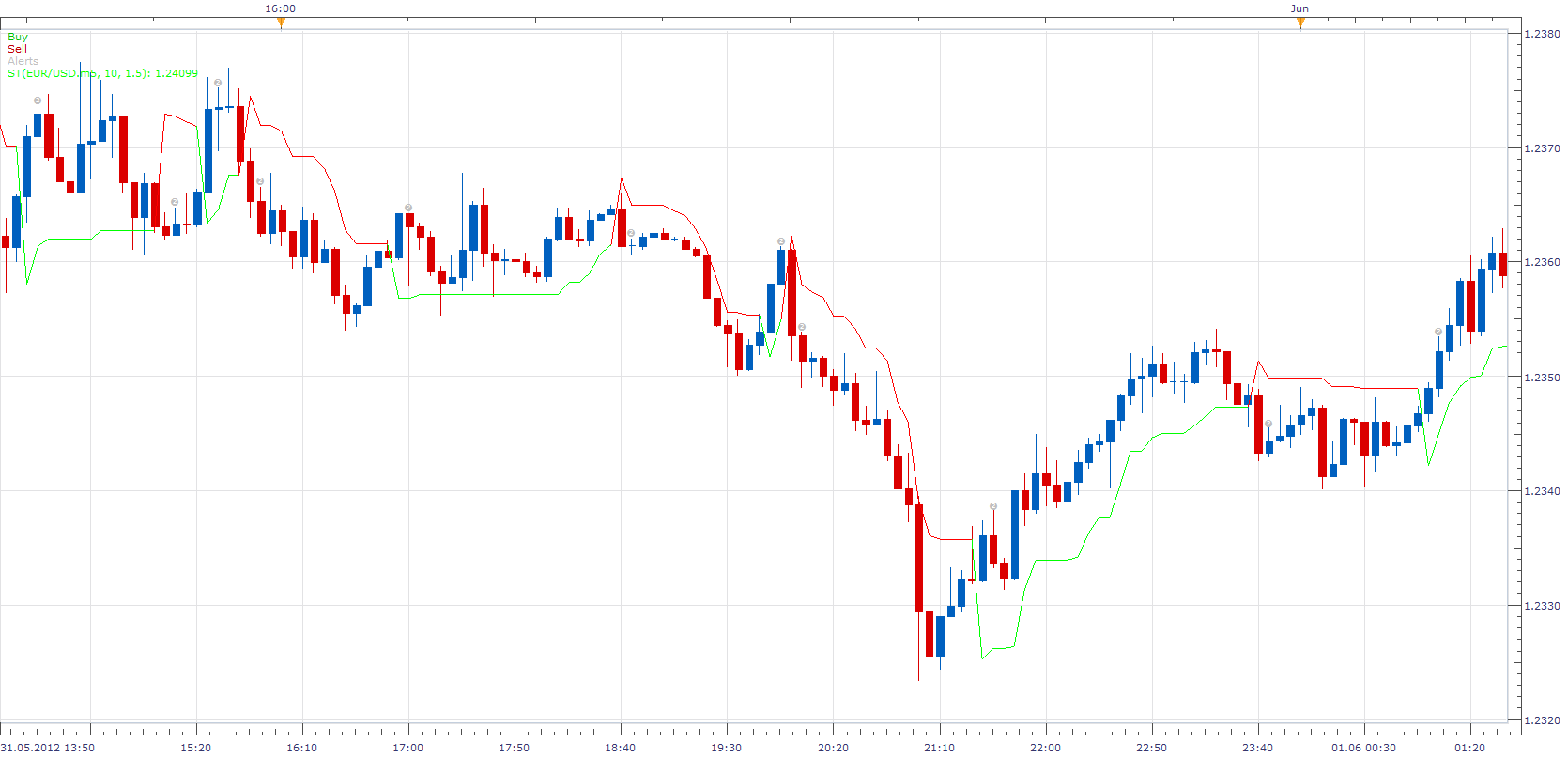
Long Price/ SuperTrend CrossOver Short Price/ SuperTrend CrossUnder
when trend line is red = close long and open short When trend line is green = close short and open long
SuperTrend Indicator Strategy.lua
If you do not have ST.lua Indicator, you will need installed it. viewtopic.php?f=17&t=605
The Strategy was revised and updated on January 22, 2019.
Re: SuperTrend Indicator Strategy
Apprentice · Mon Sep 19, 2016 3:12 am
Major update.
Re: SuperTrend Indicator Strategy
dogxyz · Fri Oct 07, 2016 12:16 pm
When I use this SuperTrend Indicator Strategy for backtest in MarketScope of TS II, I can’t get the correct indicator data. Please see my attached figure. I add the following debug messages in the end of ExtUpdate():
core.host:trace(“update “..GetDateTime()..” period=”..period); core.host:trace(“ open= “..Source.open[period]..” close= “..Source.close[period]..” high= “..Source.high[period]..” low= “..Source.low[period]); core.host:trace(“ SUPERTREND= “..Indicator.DATA[period]); if Indicator.DATA:colorI(period)== core.rgb(0, 255, 0) then core.host:trace(“ SUPERTREND is green (UP)\n”); elseif Indicator.DATA:colorI(period)== core.rgb(255, 0, 0) then core.host:trace(“ SUPERTREND is red (DN)\n”); end
At the beginning, it is ok to get SuperTrend indicator data and color. After the first trend change about 2016/2/22 03:15, it fails to get the correct indicator data and color.
This problem only happens when I use Backtest with SuperTrend strategy. It is ok if run in real time. Is there anybody could help me? Thanks.
Re: SuperTrend Indicator Strategy
Apprentice · Sun Jan 07, 2018 8:22 am
The strategy was revised and updated.