fxcodebase-backup
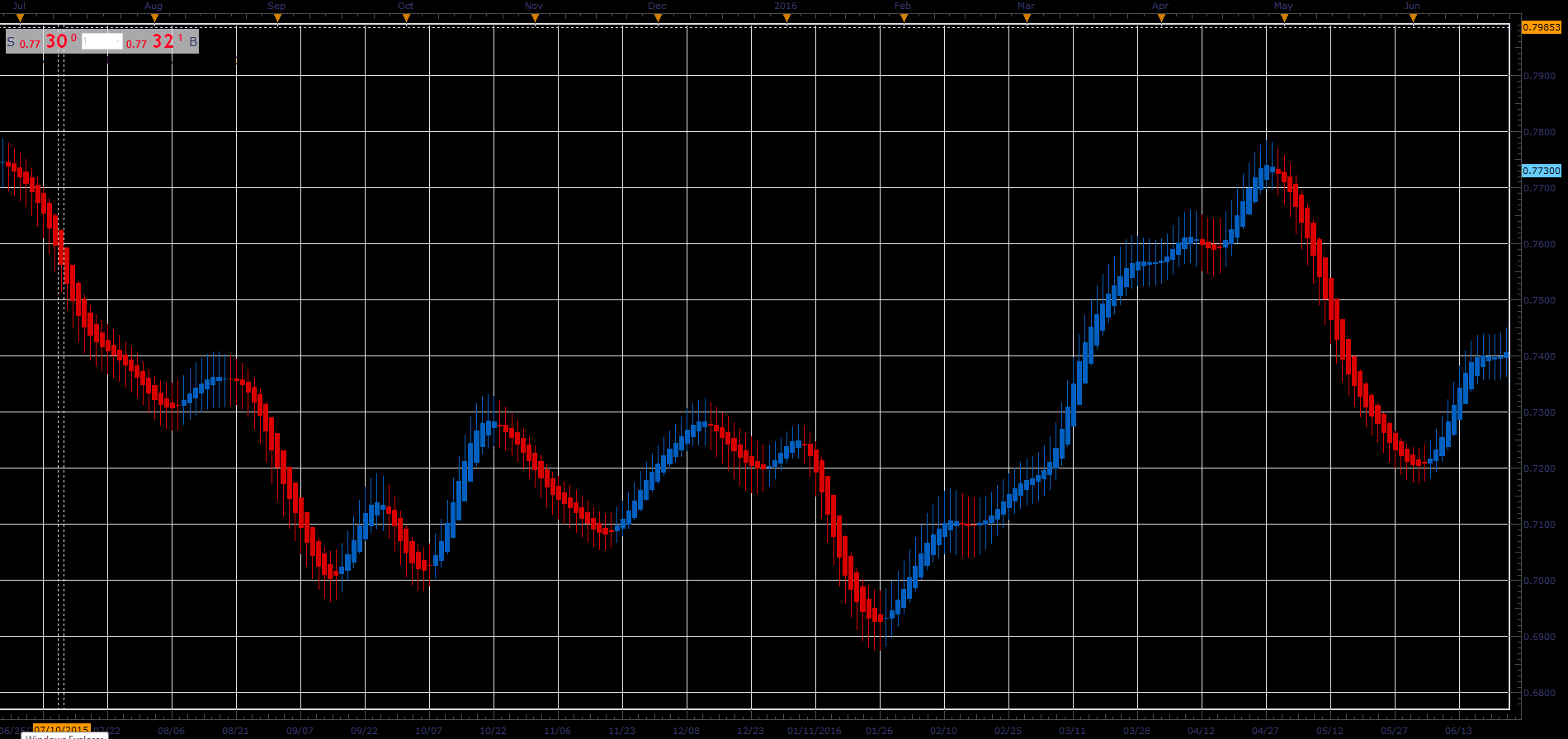
Heikin-Ashi Smoothed
Source: https://fxcodebase.com/code/viewtopic.php?f=48&t=66014
Forum: 48 · Topic 66014 · 1 post(s)
Heikin-Ashi Smoothed
Alexander.Gettinger · Tue May 01, 2018 11:41 am
The Heikin-Ashi smoothed indicator is similar to the regular Heikin-Ashi, but:
a) uses the smoothed open, close, high and low prices b) smooths the candles
So, formula of the indicator is:
open = MVA(MVA(OPEN, N1)[-1] + MVA(CLOSE, N1) / 2, N2) close = MVA(MVA(OPEN, N1) + MVA(CLOSE, N1) + MVA(HIGH, N1) + MVA(LOW, N1)/ 2, N2) high = MAX(open, close, MVA(HIGH, N1), N2) low = MIN(open, close, MVA(LOW, N1), N2)
By default, the indicator hides the source data and is shown instead of the source. To show the both, source data and Heikin-Ashi chart:
1) Uncheck “Hide Source” on the “Data Source” tab of the indicator properties. 2) Check “Show indicator/oscillator in an new area…” on the “Location” tab of the indicator properties.
As the standard HA indicator, the HASM indicator result is a regular bar source, so you can apply any existing indicator on it.
Download: