fxcodebase-backup
HLC
Source: https://fxcodebase.com/code/viewtopic.php?f=38&t=68600
Forum: 38 · Topic 68600 · 10 post(s)
HLC
Apprentice · Tue Jun 25, 2019 4:35 am
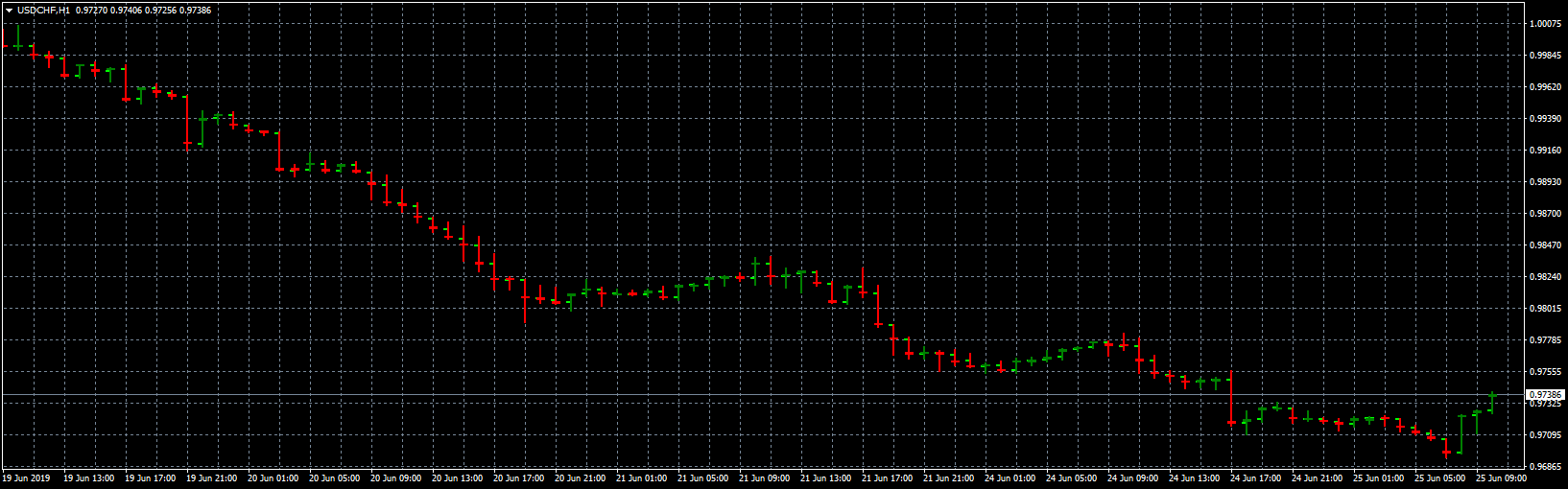
Re: HLC
logicgate · Tue Jun 25, 2019 9:19 am
Thanks my friend
Re: HLC
logicgate · Sat Aug 17, 2019 8:57 am
I have tried it now, does not look good mate, not clean, I can still see the open and the close crossing the bar is not good. Can you make it look like those ones here:
https://www.mql5.com/pt/market/product/29203
https://www.mql5.com/pt/market/product/40770
Re: HLC
Apprentice · Mon Aug 19, 2019 6:29 am
It’s impossible in MT4.
Re: HLC
logicgate · Mon Aug 19, 2019 1:29 pm
It is totally possible, those two indicators here are for MT4:
https://www.mql5.com/pt/market/product/40770
https://www.mql5.com/en/market/product/25986
Re: HLC
logicgate · Mon Aug 19, 2019 2:04 pm
Deleted post, this dada HLC indi is crap.
Re: HLC
logicgate · Mon Aug 19, 2019 7:04 pm
I have found this indicator here, this guy is like 95% percent there, take a look at the code and you will figure it out.
The only problem is when you zoom into the bars then they look a bit weird and you can still see the open.
Make sure you set all timeframes bundles to 1.
Re: HLC
logicgate · Mon Aug 19, 2019 9:37 pm
I was able to configure the ipolo hlc bars I posted here to 98% how I wanted, if you set the chart as a line chart and make it the same color of the background to make it disappear, then untick the box “chart of foreground” then it will look like the screenshot I posted here. So you can see that is possible to have the HLC bars as I asked. Check the second screenshot, I tried my best to paint black a little bit of the close line, that is how I wanted it to look, to have some separation so that the bars don´t look glued to each other. Perhaps it is there in the code the length of the close, you could tweak it to make it just a little bit smaller.
Re: HLC
Apprentice · Tue Aug 20, 2019 6:21 am
I can NOT read EX4 files.
Re: HLC
logicgate · Tue Aug 20, 2019 8:08 am
Oh crap, I forgot about that… I will try find the .mq4 file. But you can see how it is possible to code an indi like this.